Detailed answer
In this answer
Installing Ollama finishes before you have a working local AI setup. The application can be present while the model files are still missing. Cloud options can also appear alongside local ones. That is an easy point at which to assume everything is ready, only to lose the chat when the connection disappears.
This guide follows one route to a result you can check: install the application, download a specific local model and generate a new answer with the network disconnected. The main commands are shared by Windows, macOS and Linux. Complete your operating-system section, then follow the common steps.
Instructions and links were checked against official documentation on November 6, 2026. This is a documented guide, without a claim that we tested all three operating systems. Performance and available memory depend on your computer.
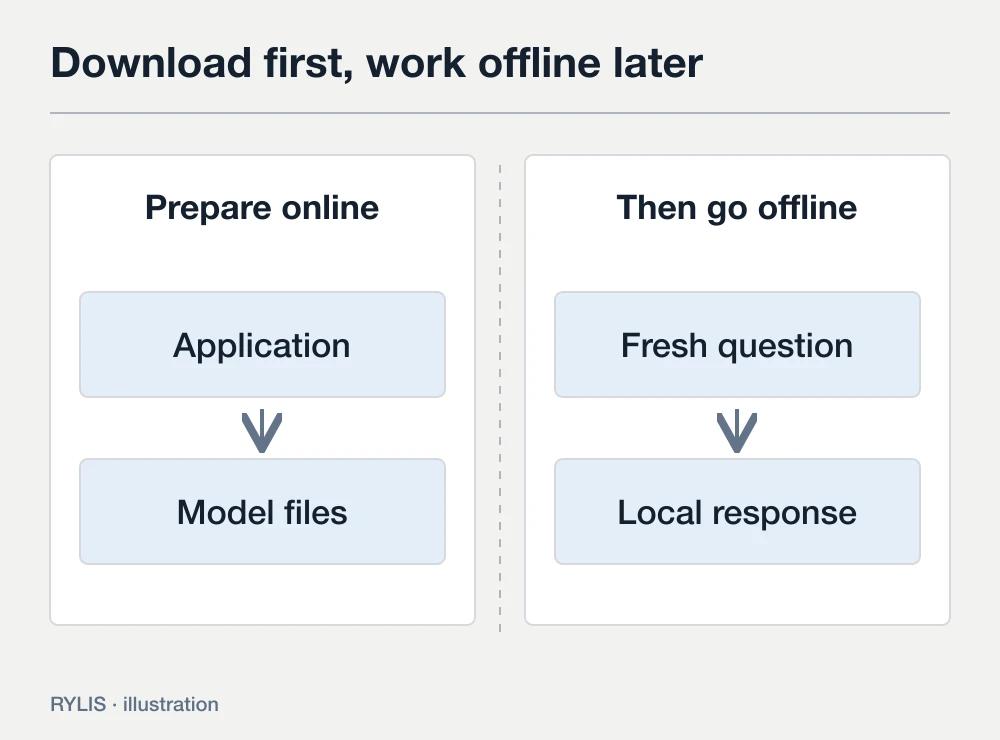
Prepare the application and the model before going offline
Ollama manages models and runs inference. The downloaded model files hold the parameters needed to generate a response. An application installer does not replace the model download.
Our first example uses the exact tag qwen3:0.6b. At the time of checking, its Ollama model card lists a download of about 523 MB. That makes it a practical small download for checking the setup. It is a limited small model, rather than a recommendation for difficult or consequential tasks. Tags can change, so inspect the current card before downloading.
A download size is not the total memory required during inference. The application also needs working buffers and conversation context. A small file does not guarantee that every device will run it. We will start with a short text conversation and choose a model for your real workload afterwards.
If you are still deciding between applications, read the Ollama and LM Studio comparison. Otherwise, prepare sufficient storage and a stable connection for the initial download.
Install Ollama for your operating system
Windows
Download the installer from Ollama for Windows and run it. The documentation specifies Windows 10 22H2 or newer. Open the Ollama application after installation, then open a new PowerShell or Command Prompt window.
The ollama command should be available in the new terminal. If a terminal was open during installation, close it and start a fresh one. The Windows instructions cover platform and acceleration requirements.
For the first short conversation, avoid beginning with driver replacement or an elaborate GPU setup. Establish that the program runs and can obtain the selected model. If you need a particular accelerator, inspect the supported hardware path separately.
macOS
Download Ollama for Mac, open the DMG and move the app to Applications. Launch it and complete the normal setup steps. If it asks to create a link for the ollama command, that enables access from Terminal.
The documentation specifies macOS 14+. Apple Silicon supports CPU/GPU execution; Intel x86 uses the CPU. See the macOS guide. Remember that shared memory is also used by the operating system and other applications.
Linux
The official documentation provides an installation script on Ollama's domain. You can save it, inspect its contents and then run it:
curl -fsSL https://ollama.com/install.sh -o ollama-install.sh
sh ollama-install.sh
The Linux guide describes architecture and acceleration details. If the local service is not running after installation, start ollama serve in a separate terminal. Keep that window open and enter the following commands in another window. An already running service does not need a second copy.
Check the command before downloading weights
In a new terminal, run:
ollama -vThe version need not match a screenshot in a tutorial. What matters first is that the system can find the command. A warning about an unavailable server, with the CLI recognized, points to a different stage: start the application or service. “Command not found” concerns installation or the command search path.
Those cases need different fixes. In the first, the program exists but cannot reach its service. In the second, the terminal cannot find the installed executable. Distinguishing them can save repeated installer downloads.
Download one explicit local tag
Run this command and wait for successful completion:
ollama pull qwen3:0.6bpull obtains the model. Keep the connection active while it downloads. If the transfer is interrupted, repeat the command after connectivity returns and wait for completion. Then inspect the local list:
ollama lsThe selected tag should appear. If it is missing, the setup is not ready for an offline check. The CLI reference describes pull, ls and run.
Use the full tag in the example. Another tag can refer to another artifact with different requirements. Qwen and Gemma are model families, each containing substantially different options.
We separate downloading from running to make the stages visible. ollama run can obtain missing files too, but combining the steps makes it harder to identify whether you are waiting for a download, model loading or generation.
Generate an answer from a short supplied note
Start the model:
ollama run qwen3:0.6bWhen the chat prompt appears, send:
Read this note: meeting on November 12 at 10:00, room 7.
Prepare three slides.
Extract the date, time, place and task. Add no new information.
This is easier to verify than a first question about international affairs. You already have every source fact. The response should preserve November 12, 10:00, room 7 and three slides. An error is an observation about that answer and configuration; it does not by itself mean the installation failed.
Avoid judging all local AI from one compact model. Our immediate goal is to move from files on disk to a fresh response. Selecting output quality comes next, using appropriate models and tasks that resemble your actual work.
If generation is slow, let the short response finish. Avoid increasing the input length, model size and context together. Doing so removes the starting point you need to understand what changed.
Check a new response with the network disconnected
Use the downloaded qwen3:0.6b, rather than a cloud model. Ollama has a separate cloud path that needs connectivity. Installing the app does not move a cloud model onto your computer.
- Leave the current conversation with
/bye. - Disconnect Wi-Fi and Ethernet, or temporarily disable active network interfaces using your operating system's normal controls.
- Run
ollama run qwen3:0.6bagain. - Send fresh input, such as: “The meeting moved to November 13, 11:30, room 9. Extract the updated details.”
- Check that a new response reflects the changed data, then restore connectivity.
A response while disconnected establishes that this conversation can operate autonomously. It does not prove the absence of network activity in every other scenario. Cloud inference, search and external tools need their own checks. The underlying distinction is explained in our offline AI guide.
Keep the first check to ordinary CLI chat. Add agents, browser extensions and external services once you understand what the working local path looks like.
If something fails, identify the stage
The ollama command is missing
- Check first: Installation completion and a fresh terminal
- Next action: Restart the terminal; check your OS installation instructions
The CLI exists but cannot reach its server
- Check first: Whether the app or service is running
- Next action: Start the app; on Linux inspect the service or use a separate ollama serve
The model is missing offline
- Check first: The exact tag in ollama ls
- Next action: Reconnect, complete pull and repeat the check
Download does not complete
- Check first: Connectivity and free storage
- Next action: Restore the connection or space, then repeat pull
An out-of-memory message appears
- Check first: The selected model and context
- Next action: Reduce the workload or choose a smaller supported model
Responses are slow
- Check first: Compute allocation and input length
- Next action: Inspect ollama ps and try a short request
In a second terminal, inspect loaded models with:
ollama psThe Processor column identifies CPU/GPU allocation. See the explanation in the Ollama FAQ. CPU execution is not automatically a fault; it helps explain differences between your result and another computer's result.
For a useful support request, record the error, Ollama version, model, operating system and relevant hardware. Leave out private conversation content and credentials. The troubleshooting guide explains logs and further diagnostic steps.
End the conversation and release memory
/bye exits an interactive chat. To stop the loaded model explicitly, run:
ollama stop qwen3:0.6bThis can be useful before another demanding task. Stopping a model and deleting its downloaded files are different actions. A downloaded tag can run again without fetching its weights while those files remain available locally.
Record your first check: OS, Ollama version, exact tag, sample request and whether a fresh answer arrived without connectivity. Change one variable at a time in subsequent experiments. You can first choose a model with better results in your language, then add documents or an API.
The official quickstart also uses Gemma 4 E2B as a local example, with its own resource guidance. Read that guidance before downloading. A family name or small variant label does not establish the download size or available working memory on your device.
If your next task is a PDF workflow in a graphical interface, return to the Ollama and LM Studio comparison. If it needs to run on a phone while traveling, read about offline AI applications for Android.
Sources
More questions
Does this example need an API key?
The selected local model does not require an API key. Cloud services and their account settings are separate workflows.
Can I start without an internet connection?
The application and model files need to reach the computer first. This guide downloads them while connected and checks an offline response afterwards.
Why use a small model here?
Qwen3 0.6B provides a small download for checking the installation process. Its output quality is limited. Choose a model for your real tasks and available memory after the check.
Do I need a dedicated GPU?
Acceleration support depends on hardware and OS. Some models can run on the CPU, with different speed and memory requirements. Consult the documentation for your configuration and begin with a short request.
What does localhost:11434 mean?
It is the address of the Ollama server on your computer. Calling localhost alone does not establish where the selected model performs inference; local and cloud workflows still need to be distinguished.