Detailed answer
In this answer
You have a PDF to review, a letter to rewrite, or a script that needs a local language model. Before a model has even downloaded, you are choosing between Ollama and LM Studio. Comparing screenshots can consume the evening without bringing you closer to a useful answer.
Start with the job you want to finish. A document workflow needs a working route from a file to an answer. A custom application needs a server and predictable model management. Offline work requires knowing where the selected model runs. Those questions give the comparison a practical purpose.
This comparison follows official documentation checked on November 6, 2026. It describes workflows and documented features, without our own speed benchmarks. Interface labels and product capabilities can change between versions.
Choose the workflow first
Ask questions about a PDF
- A sensible starting point: LM Studio Desktop
- Check before installing: Document support and model requirements
Add a local API to a script
- A sensible starting point: Ollama or the LM Studio server
- Check before installing: Client compatibility, model loading and server address
Manage models through commands
- A sensible starting point: Ollama CLI or lms
- Check before installing: Required commands and background operation
Explore models in a graphical interface
- A sensible starting point: LM Studio Desktop; also inspect the current Ollama app
- Check before installing: Hardware support and the exact model format
Use AI on the phone itself
- A sensible starting point: A mobile application
- Check before installing: On-device inference rather than a connection to a home PC
These are editorial starting points for different tasks. These recommendations do not rank output quality or speed. A measured ranking would require the same workload and a clear test method.
If you have already chosen Ollama, continue to the installation guide. The rest of this comparison explains the choices that are harder to undo once you have accumulated models and settings.
The application and the model do different jobs
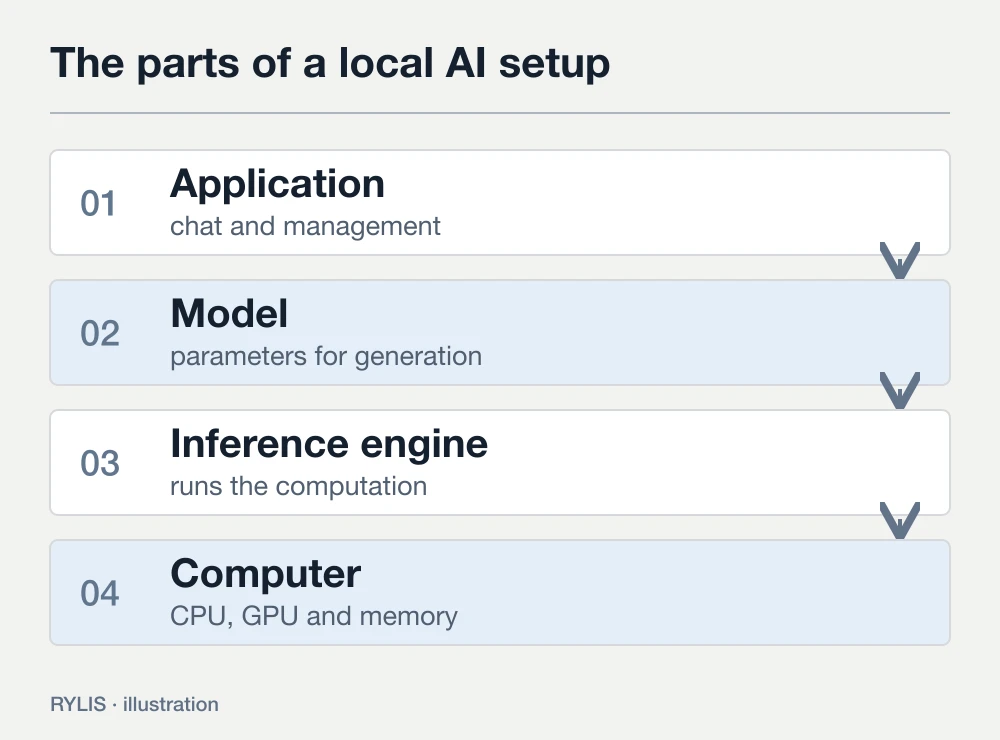
The model holds the parameters used to generate an answer. The application helps you obtain the files, load them and manage a conversation. An inference engine performs the calculations on the CPU or an accelerator. A chat window presents all of this as one experience, which can hide the distinctions.
Suppose you ask both programs to shorten the same message. In one, you choose a small model; in the other, a larger model. A better answer in the second program does not establish that its interface is inherently better at writing. First match the model, its weight variant and the relevant settings. Then assess the experience and performance.
Context size matters as well. It is the amount of input the model works with, including the conversation supplied with your request. A long document and a short standalone question create different workloads. Save the source text and start a new conversation in each program if you want a comparison you can repeat.
Both products have routes to commands and APIs
The old shorthand of Ollama for terminals and LM Studio for buttons is too crude for the current products. Ollama offers an app and CLI. LM Studio has a desktop app, the lms command and a separate headless engine called llmster. Its product guide explains their roles.
Look at what you will do every day. For scripted work, inspect how a tool starts after a reboot, lists loaded models and releases memory. For conversational work, inspect message editing, model selection, history and attachments. A feature checklist cannot tell you how comfortable those actions will feel in your own workflow.
A local API lets another application on your computer send requests to a model. LM Studio can start its server in the Developer tab or with lms server start, as described in the server documentation. Ollama provides its own API and integration options. Check the particular client you intend to use: compatible request formats do not guarantee identical support for every API feature.
For example, you might want a script to draft product descriptions from a local CSV. Check that the script can call the selected server, that you know which model answers, and that failures are handled without losing results. The appearance of the chat window contributes little to that task.
For PDFs, consider the whole route to the answer
LM Studio Desktop includes document chat. Its documentation lists PDF, DOCX and TXT attachments. A short file can be placed in context in full; a long document can use retrieval to supply relevant passages. The document guide describes this RAG workflow.
Neither extraction nor retrieval guarantees a correct answer. The relevant passage may not be selected, or the model may misunderstand it. Start with a document you already know. Ask about a particular section and request the passages that support the response. Open the original and compare them.
A useful first prompt is: “Find the return conditions in the order cancellation section. List each condition and include a short passage supporting it.” This gives retrieval a subject and gives you something to verify. “Tell me everything important” delegates much more of the decision to the model.
If you choose Ollama as the engine for document work, decide which interface or application will extract the file and pass the useful text. A running language model does not, on its own, organize a folder of PDFs into a complete research workflow. Building that route can be appropriate for a project; it adds setup for someone who simply wants to question a file this evening.
Check where the selected mode runs
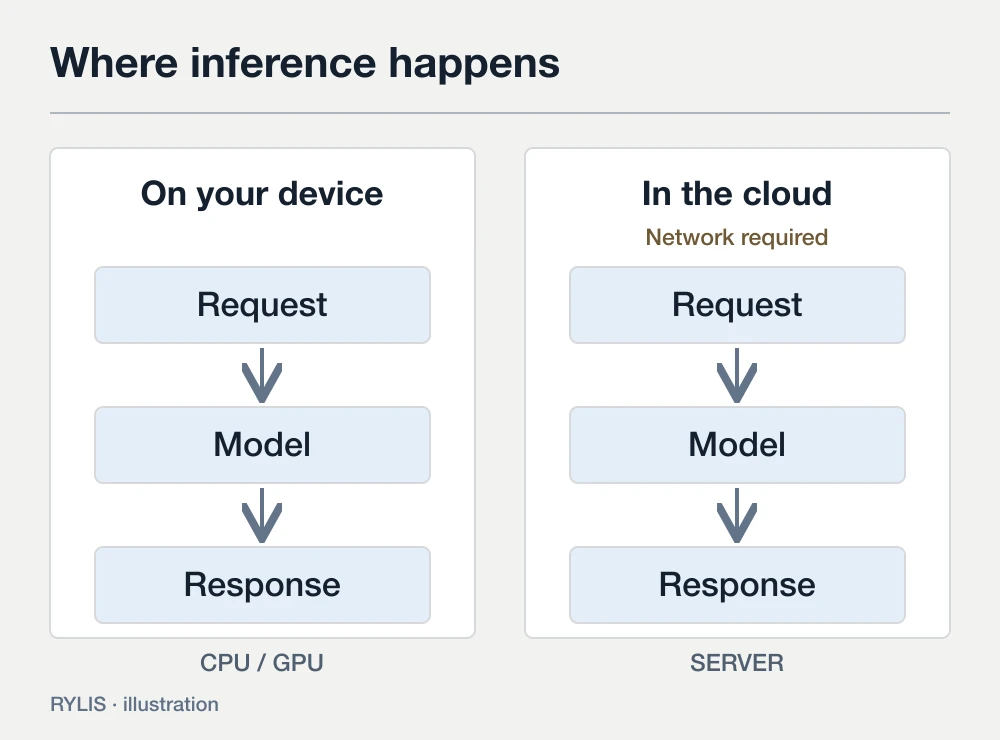
Offline conversations require the application, runtime and model files to be ready. New downloads and updates need a connection. LM Studio documents offline operation. Ollama also offers cloud models, so the application name alone cannot identify the route taken by a request.
The LM Studio ecosystem contains more than one product. Bionic, for example, distinguishes Local, Remote and Cloud. Remote runs on another device; Cloud uses a hosted service. These modes are described in the Bionic model guide. Do not assume that every Bionic capability belongs to every LM Studio Desktop release.
Before using private text, identify the selected model and the device doing the inference. Inspect additional tools separately. A web search remains an external action even when the main language model is local.
Disconnecting the network and generating a new response can check that particular offline path. It does not describe everything an application may do in other modes when the connection returns. For sensitive work, consider conversation history, backups and access to the computer too. On-device inference answers the question of where computation takes place; those other controls have their own settings.
Application and model requirements both matter
Read the application's requirements before downloading weights. LM Studio specifies Apple Silicon and macOS 14+ on Mac and recommends 16 GB of RAM. Windows x64 requires AVX2. The requirements page provides the complete platform notes. These are vendor requirements and recommendations, rather than a promise that every model will fit.
Ollama lists Windows 10 22H2 or newer in its Windows guide. On macOS 14+, its documentation includes Apple Silicon with CPU/GPU support and x86 with CPU-only support. See the macOS requirements. For an older Intel Mac, platform support can settle the choice before any feature comparison.
Then choose a model. Disk space holds downloaded files; RAM and VRAM participate in computation. A large SSD cannot replace the working memory a workload needs. Quantization changes how model weights are represented, and a model may have several variants. LM Studio explains those download choices in its model guide.
Begin with a suitable small model and a modest context. Once a short chat works reliably, add a document or a longer history. Starting with the largest model and maximum context makes it harder to identify what is consuming too much memory.
Compare speed under matched conditions
“This tool is faster” offers little information without the computer and model. Weight variant, inference engine, acceleration, input length, generation settings and other running software can affect the result. We have not performed matched benchmarks for this article, so there is no numerical speed winner.
To compare the programs yourself, save two tasks. One can be a short email edit with little context. The other can analyze an identical document passage. Match the model and weight variant as closely as both tools allow, then record any differences you could not eliminate.
Separate model loading, time to the first generated word and subsequent generation. They are different stages. Repeat the tasks with other demanding applications closed. Inspect the output as carefully as the waiting time: did it preserve dates, quantities and conditions? Did it add unsupported claims? A quick incorrect response still creates editing work.
For Ollama, ollama ps shows loaded models and the CPU/GPU allocation. The FAQ explains the Processor column. That information is more useful than guessing from fan noise.
Count the costs of your actual workflow
Check application terms, the selected model's license and any cloud charges separately. Installing a local tool does not grant unrestricted rights to every downloadable set of weights. Open the license of the exact artifact before using it commercially.
Local inference still involves downloads, storage, electricity and setup time. For occasional personal chat, ease of use may matter most. For a repeated API task, process management and error handling may matter more. Evaluate that workload rather than assuming that local operation is always the cheapest choice.
Make the decision with one short task
Write down the reason you are installing local AI: extracting conditions from your PDFs, for example, or producing a draft from a Python script. Pick a starting point from the opening recommendations and check that route using safe sample text.
For PDF work, start by inspecting LM Studio's built-in document workflow. For command-based management and a custom API, consider Ollama. If a project already works with the LM Studio server, changing tools solely for the name adds migration work. If you need AI while traveling with a phone, read the Android application comparison.
Once you choose Ollama, continue to installation and the first local response. Keep the model name and settings beside your saved task so you can repeat the check after an update.
Sources
- Ollama: Quickstart
- Ollama: CLI reference
- Ollama: FAQ
- Ollama: Cloud
- LM Studio: desktop app, llmster and lms
- LM Studio: Chat with Documents
- LM Studio: local API server
- LM Studio: Offline Operation
- LM Studio: System Requirements
- LM Studio Bionic: Local, Remote and Cloud
- Ollama: Windows requirements
- Ollama: macOS requirements
- LM Studio: model downloads and quantization
More questions
Which is better for a first local AI setup?
For a ready graphical route to chat and documents, start by inspecting LM Studio Desktop. For command-based work and an API, consider Ollama. Your hardware and model support matter more than a universal ranking.
Will the same model give identical answers?
Weight variants, prompt templates, context and generation settings can change the result. Save matching tasks and record configuration differences before drawing conclusions.
Can I use both tools?
You can choose different tools for different workflows. Allow enough disk space and working memory; loading several models at once increases resource use.
Does a local server expose my computer to the internet?
A server can listen on localhost only. Allowing local-network or internet access requires separate configuration. It is unnecessary for a first local chat.