Detailed answer
In this answer
The application is a small download and its description says offline. After installation, it asks for another model download, perhaps several gigabytes. Then the model may fail to fit in memory, or a feature you wanted may still use the network. Discovering that while traveling is inconvenient.
Choose offline AI for Android by the task and the exact route an application offers. One person wants to manage GGUF models; another wants to try image input; another needs a personal text conversation. The number of models in a catalog does not settle those different needs.
This article is prepared for the RYLIS blog and openly includes our own product. Documented capabilities were checked on November 6, 2026. We have not performed matched physical tests of all three apps on one phone for this comparison.
Which application should you try first?
Choose and import GGUF models
- A starting point: PocketPal AI
- Check before committing: Model compatibility, quantization and available memory
Explore Google AI Edge scenarios with different inputs
- A starting point: Google AI Edge Gallery
- Check before committing: The selected model, device requirements and experimental Beta status
Try RYLIS personal local text conversations
- A starting point: RYLIS Android beta
- Check before committing: Supported models and requirements of the installed build
Retrieve current information from the web
- A starting point: A separately configured online tool
- Check before committing: Connectivity and the external request path
These are starting points, rather than benchmark winners. A phone can handle one compact model and close an app while loading another. A model can also behave differently in English and another language. A short check using your tasks is still needed.
If you first want to understand how answers can be generated without connectivity, read the offline AI explanation. Here we focus on selecting an application and preparing the phone.
PocketPal is a route to choosing and managing models
The official PocketPal project documents local GGUF chat, Hugging Face downloads, file imports and a built-in benchmark. Basic local conversation does not require an account. Individual gated models can have access conditions at their source.
Consider this path if you want to try several compatible models and control that choice. You could compare how well each shortens notes or follows an output format. Being able to select a file does not mean that every file will run on your device.
Record the full model name and quantization before downloading. Otherwise, it becomes hard to remember why one file was smaller or behaved differently a week later. A built-in measurement is useful for your own phone: keep tasks and settings matched, and treat other people's numbers as results from their configurations.
Read free features individually as well. The current README describes an optional one-time PocketPal Plus purchase in store builds for hands-free voice conversation. That does not make basic local text chat a paid feature. Check the current store and build terms before installing.
AI Edge Gallery explores Google AI Edge workflows
Google AI Edge Gallery demonstrates on-device scenarios including text, image and voice features. The selected model and workflow determine what is supported. The official project describes an experimental Beta and lists Android 12+.
Consider Gallery if you want to explore what Google AI Edge models can do on your device. Begin with one input type: text chat first, for example, followed by a safe sample photograph. This makes it easier to distinguish an already working path from a new resource requirement or limitation.
Inspect tools around the model separately. Some workflows use external information or additional skills. A local language model does not automatically reveal where a tool obtains a map, web page or recent fact. Check the action you actually intend to use while disconnected.
The official releases provide installation links and an APK route for people without Google Play. The Android version alone does not establish compatibility with your phone and chosen model. Try the intended workflow before relying on it away from a connection.
RYLIS offers local text conversations in a mobile beta
In the RYLIS Android beta, a compatible model processes text on the phone after installation. A local conversation does not require a mandatory account. Cloud models, web search and external speech services are configured separately. The product page describes the current boundaries.
Consider it if you want the RYLIS mobile workflow for ideas, drafts and personal text conversations. Obtain the APK from the official link and check the requirements of the build you receive. The beta does not promise that every model will work on every Android phone.
Do not transfer another application's compatibility table to RYLIS. Format and engine support belong to the particular product. If you already have model files, check whether the installed build supports them first. Renaming an extension does not convert the contents.
The sample conversations on rylis.io demonstrate the interface. The website does not run the actual model. Perform an offline-response check in the installed application using the getting-started instructions.
One model file does not fit every application
Model weights need to match the engine and the features the application supports. A family name such as Gemma or Qwen is not enough. Packaging, quantization variants and additional components can differ. Text, image and voice support must also match the intended workflow.
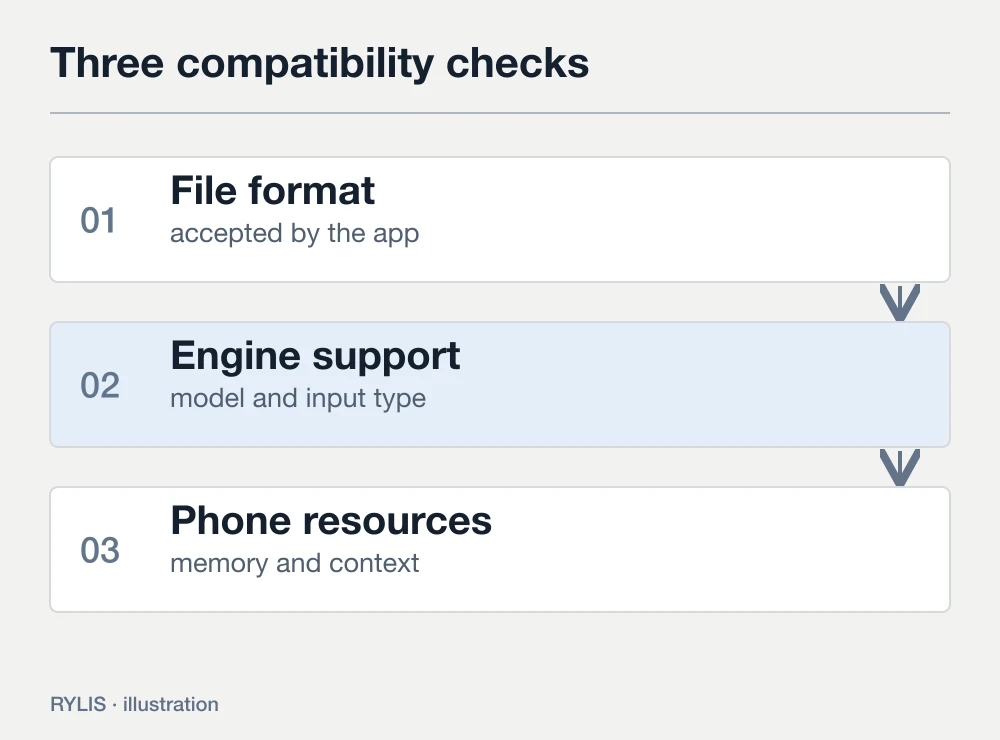
For PocketPal, documented GGUF support is the starting point. In Gallery, follow the supported route for the selected catalog entry or scenario. In RYLIS, use the catalog and compatibility information for the installed build. This is more reliable than obtaining an arbitrary file and trying to open it everywhere.
For the first attempt, use the application's downloader or its documented source. Once a short chat works, explore imports and alternatives. When an import fails, compare the complete artifact name, format and settings rather than the family name alone.
Storage and working memory solve different problems
A phone can have plenty of free storage and still fail to load a model. Storage holds the files between sessions. RAM is used during computation, with part already occupied by Android and other applications. Processing conversation context adds to the workload.
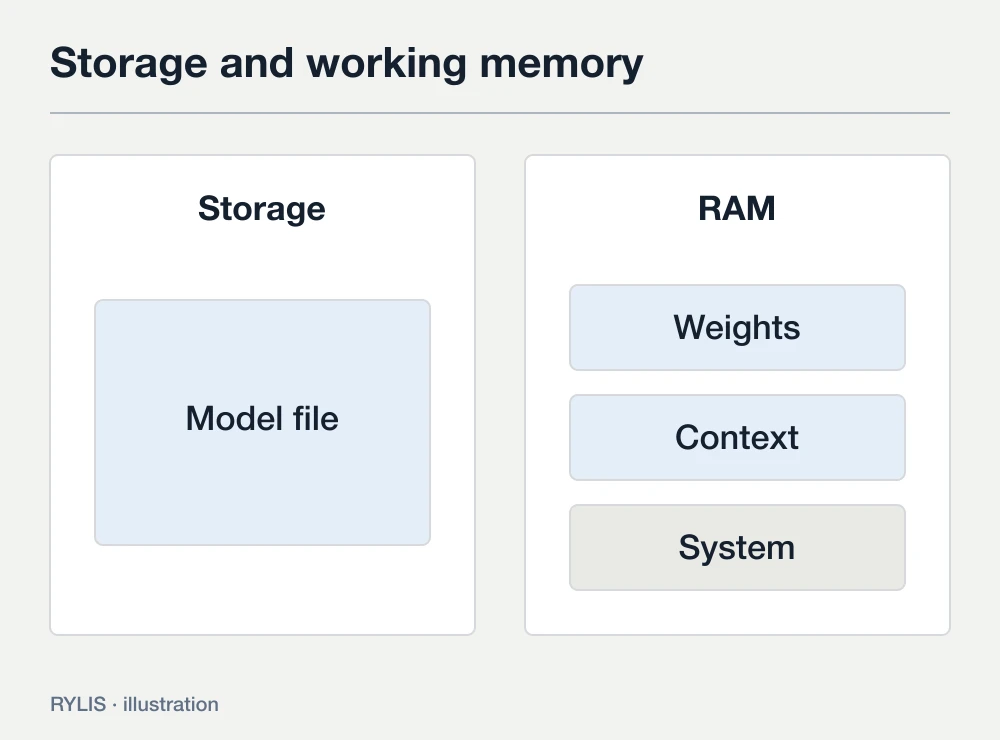
Compatibility therefore cannot be reduced to the file being smaller than total RAM. A long history or large attachment can create a different workload from a short first question. Storage-based memory expansion is not equivalent to the same amount of extra physical RAM.
Begin with a small supported model and a new short conversation. Add your normal task after that succeeds. If the app stops, first reduce the input and context, then consider a less demanding model. Disabling every protective phone setting does not make an unsuitable configuration fit.
Keep the app open during the first check. Behavior after switching away depends on Android, the manufacturer and the application version. A successful visible response does not demonstrate indefinite background execution. For travel, test how you will actually use it: open a conversation, ask a question and return later.
Compare using three safe tasks
A useful check resembles the reason you are installing AI. If that reason is note editing, difficult physics questions contribute little to the choice. Prepare short examples without private information and use them in every configuration you compare.
- Editing: provide a repetitive paragraph and ask for a shorter version preserving dates and conditions.
- Extraction: provide a meeting note and ask for separate time, place and action fields.
- Planning: provide a day's tasks with a time limit and ask for an order that explains the trade-off.
Inspect the response before looking at speed. Did the model preserve a constraint or invent a fact? If you want to compare applications themselves, match compatible weights and settings where possible. If the models differ, describe the exercise as a comparison of complete configurations.
Record the phone, application version, exact model, context, input and result for each attempt. Include failures: the application being unloaded, an incomplete answer or an import error. One fast successful response does not establish reliability on the notes you normally work with.
Check offline operation before you need it
Preparation ends with a fresh response while disconnected. Install the application and model, wait for completion and open one local chat while online. Then enable airplane mode and turn off Wi-Fi separately; it can remain enabled.
Start a new conversation and send input not used in the previous check. Change the meeting date and location, for example. A fresh response with the changed details demonstrates that the selected path can operate offline. Test any image or voice feature you intend to rely on separately.
This is not a complete privacy audit. PocketPal documents optional online features and other network operations. RYLIS distinguishes local conversations from external services. In Gallery, inspect the particular scenario and tools. Internet access, inference location and data transmission are related questions that need separate answers.
Free chat, accounts and model licenses have separate conditions
Check application pricing, optional features and access to model weights individually. An open-source application license does not automatically describe every model in its catalog. A free local chat does not establish that every cloud feature is free as well.
If downloading a model takes you to an external provider, read that provider's access requirements. They can differ from the chat application's terms. For a first attempt, choose a clear download path and license rather than the most elaborate model name.
Keep the configuration that passes your check
Start with PocketPal if choosing and managing GGUF models is the goal. Consider Gallery for experiments with Google AI Edge scenarios. Try RYLIS for personal local text conversations through the official Android beta.
Decide after the three tasks and an offline check. Keep the configuration that preserves important facts, fits memory and suits your routine. Save its name and settings before updating, so the check remains repeatable.
If the workload does not fit your phone, consider local AI on a computer. To install RYLIS, use the official step-by-step instructions.
Sources
More questions
What is the best offline AI app for Android?
A universal winner is of limited use without your phone and tasks. Compare compatible models, required features, output on your examples and a fresh offline response.
Do I need to download a model separately?
Local inference requires model files. Applications can provide a catalog, an integrated downloader or supported imports. Finish the preparation before disconnecting.
Will it work on a phone with 4 GB of RAM?
Total RAM alone cannot establish compatibility. Free memory, the model, context, engine and OS restrictions matter. Start with a small supported model rather than assuming every configuration will work.
Can an offline model find breaking news?
Retrieving new web material requires an online tool. Local weights do not automatically acquire current events while disconnected.
Does airplane mode prove complete privacy?
It checks autonomy for the selected workflow. Network extensions, history, backups, keyboards and access to the phone still need separate consideration.